VioraEarly Access
  • 使用场景
  • 价格
  • 免费下载
  • 博客

Memory for Mac

Teach Viora controlled terms, preferences, and workflow guidance so repeated Mac voice work starts with clearer context.

By the Viora team - Last updated July 1, 2026.

Viora Memory helps Viora remember controlled preferences, terms, boundaries, and workflow guidance. The goal is simple: you should not need to repeat the same instructions every time you dictate, edit, ask, or run a small task.

Viora privacy controls

What Memory can remember

Memory is useful when your work has repeated context.

Memory typeExample
TermsProduct names, teammate names, acronyms, technical words
PreferencesShorter replies, clearer structure, less formal tone
BoundariesWords to avoid, formatting not to change, sensitive workflows
Workflow guidanceHow you structure PRDs, support replies, handoffs, or code review notes

Memory is related to Viora's personal dictionary, custom skills, and learned workflow guidance. It is not a hidden promise that Viora will always infer your intent correctly. You still review outputs.

How Memory works

Memory builds up over time as you use Viora. There is no separate setup step.

  1. You mention a preference in conversation. For example: "Always use shorter replies" or "My team name is Horizon."
  2. Viora stores the guidance. The preference, term, or boundary is saved to your memory profile.
  3. Viora applies it in future work. The next time you dictate, edit, or ask, Viora uses the stored guidance to produce output closer to how you work.

You can review, edit, and delete memory records through the Memory page in the Viora app. Memory is not a hidden process.

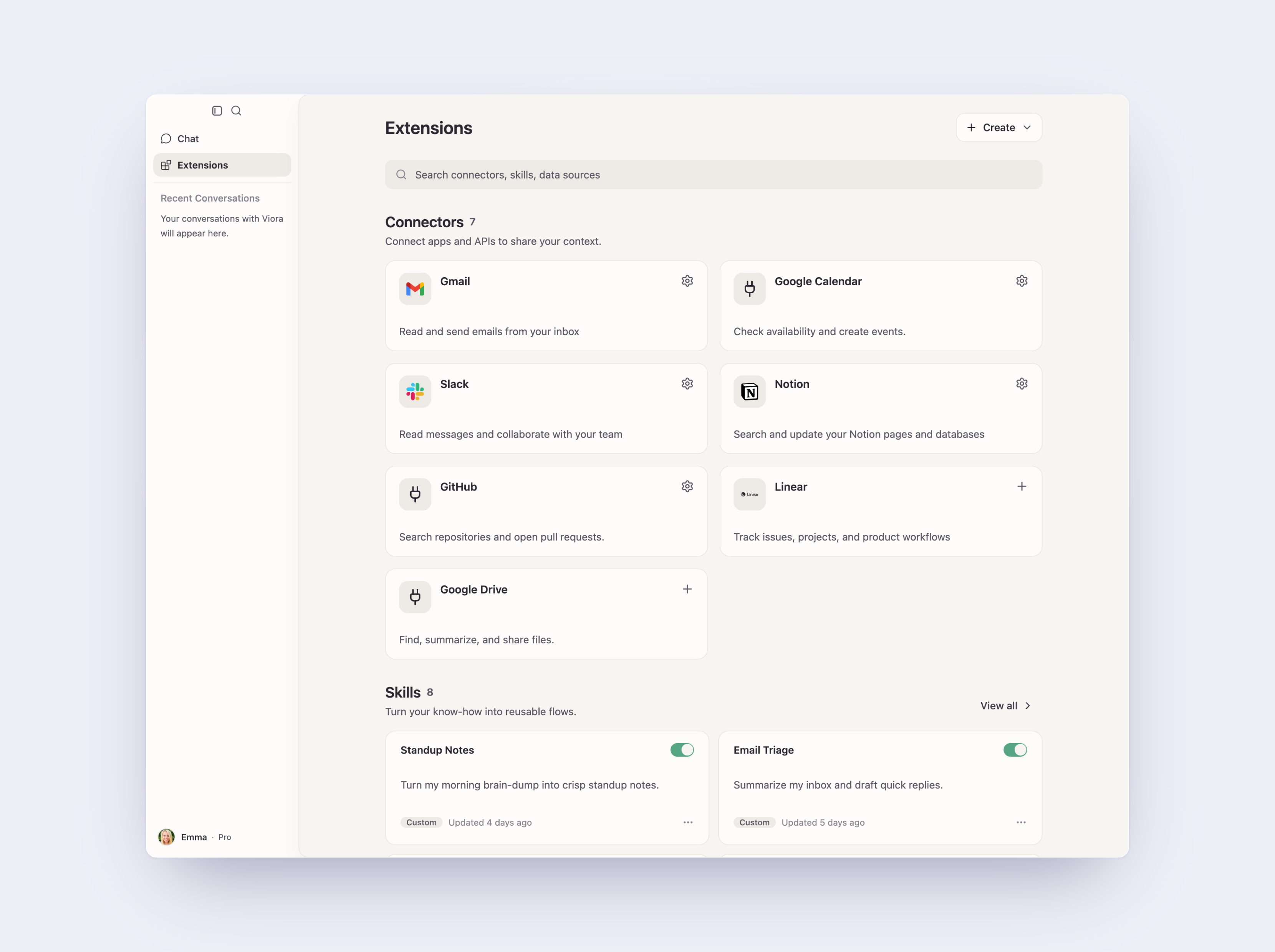
Viora extensions page showing connectors and custom skills

Memory vs personal dictionary

A personal dictionary is mostly about recognition. It helps Viora hear and spell the right words.

Memory is about repeated preference and workflow context. It helps Viora produce output closer to how you work.

AreaPersonal dictionaryMemory
Main jobRecognize termsReuse guidance
Best forNames, acronyms, product termsPreferences, boundaries, repeated workflows
Typical scopeWord or phraseRule, habit, or process
SetupAdd terms manuallyBuilds from conversation or manual entry

Free vs Pro

Long-term memory across sessions is a Pro feature. On the Free plan, Viora still uses the personal dictionary and session-level context, but memory records do not carry over between sessions.

AreaFreePro
Personal dictionaryYesYes
Session contextYesYes
Long-term memory across sessionsNoYes
Self-evolving skillsNoYes

Privacy and control

Memory needs clear boundaries. Viora is cloud-assisted, not fully offline. Viora's privacy materials say desktop task content may be processed through Viora backend systems when large-model processing is needed.

Viora public materials also say it does not sell user data and does not use voice, text, or User Content to train models. Supported memory records and related settings should be handled through product controls such as view, edit, disable, or delete where available.

FAQ

What is Viora Memory?

Viora Memory is Viora's memory-like guidance for controlled preferences, terms, habits, boundaries, and workflow instructions.

How is Memory different from a personal dictionary?

A personal dictionary helps Viora recognize names and terms. Memory is broader: it can include preferences, boundaries, and workflow guidance.

Can Memory be controlled?

Viora's public pages describe memory records and related settings as user-controllable where supported, including view, edit, disable, or delete controls.

Is Memory available on the Free plan?

Long-term memory across sessions is a Pro feature. Free plan users can still use the personal dictionary and session-level context.

Try Memory in Viora

Memory is most useful when paired with daily dictation, selected-text editing, and repeated writing patterns. If you work primarily on a Mac and want controlled terms or preferences available to Viora, start with the Mac app and review current plan details before relying on it for a workflow.

  • Download Viora for Mac
  • Check Viora pricing
  • Review Viora Privacy Policy

Related reading

  • Voice Agent for Mac — the full voice workflow including write, edit, ask, and do
  • Voice Dictation for macOS — how Viora turns speech into polished text
  • What is Viora — a plain-language overview of the product
  • Use cases for Viora

继续了解 Viora 功能

每个功能页聚焦一个工作流。顺着这些页面看,可以更完整地理解写作、编辑、提问、Agent 任务和记忆如何连在一起。

Ask in Place for MacAsk Viora questions about selected or nearby context without leaving the Mac app where you are working.Voice Dictation for macOSHold one key, speak naturally, and Viora drops polished text into any app on your Mac — no copy-paste, no extra window, no cleanup.Selected-Text Editing for MacSelect text in a Mac app, speak an edit request, and use Viora to rewrite, shorten, restructure, or adjust tone.Voice Agent for MacUse your voice to write, edit, ask, and run small agent tasks in the Mac apps where you already work.

继续判断下一步

如果你还需要看实际场景、价格边界或资源入口,可以从这里继续。

使用场景查看 Viora 如何进入邮件、文档、客服回复、研究、规划和日常 Mac 工作。价格安装或扩大使用前,先确认当前免费和付费计划的边界。资源回到资源中心,继续查看指南、对比、更新记录和产品路径。
Viora

macOS 上的语音 AI 助手, 悄悄做着,替你想着。

产品
  • 功能
  • 使用场景
  • 价格
  • 免费下载
  • 常见问题
资源
  • 对比
  • 博客
  • 更新日志
公司
  • 联系我们
法律
  • Cookie政策
  • 隐私政策
  • 服务条款
© 2026 Viora. All Rights Reserved.