
Wispr Flow Alternative for Mac: Switch to Viora
Looking for a Wispr Flow alternative on Mac? See how Viora compares on dictation, pricing, privacy, languages, and how to switch from Wispr Flow.
Reviewed by the Viora team. We checked the comparison against official vendor pages, pricing pages, privacy materials, and Viora product pages. We name Viora as the publisher because we make one of the products being compared.
By the Viora team - Published April 27, 2026 - Revised June 24, 2026.
Direct Answer
Choose Viora if you work mainly on a Mac and want voice to do more than type text. Viora is a cloud-assisted voice AI assistant for macOS. It can write into the current app, edit selected text, answer near context, and run small agent-style tasks.
Choose Wispr Flow if you need cross-platform voice-to-text across Mac, Windows, iPhone, and Android. Wispr Flow is also a stronger fit when you need public team features, 100+ language support, or published HIPAA, SOC 2 Type II, and ISO 27001 plan claims.
There is no universal winner. The right choice depends on your platform, privacy needs, team needs, and whether you want voice-to-text or voice-to-workflow.
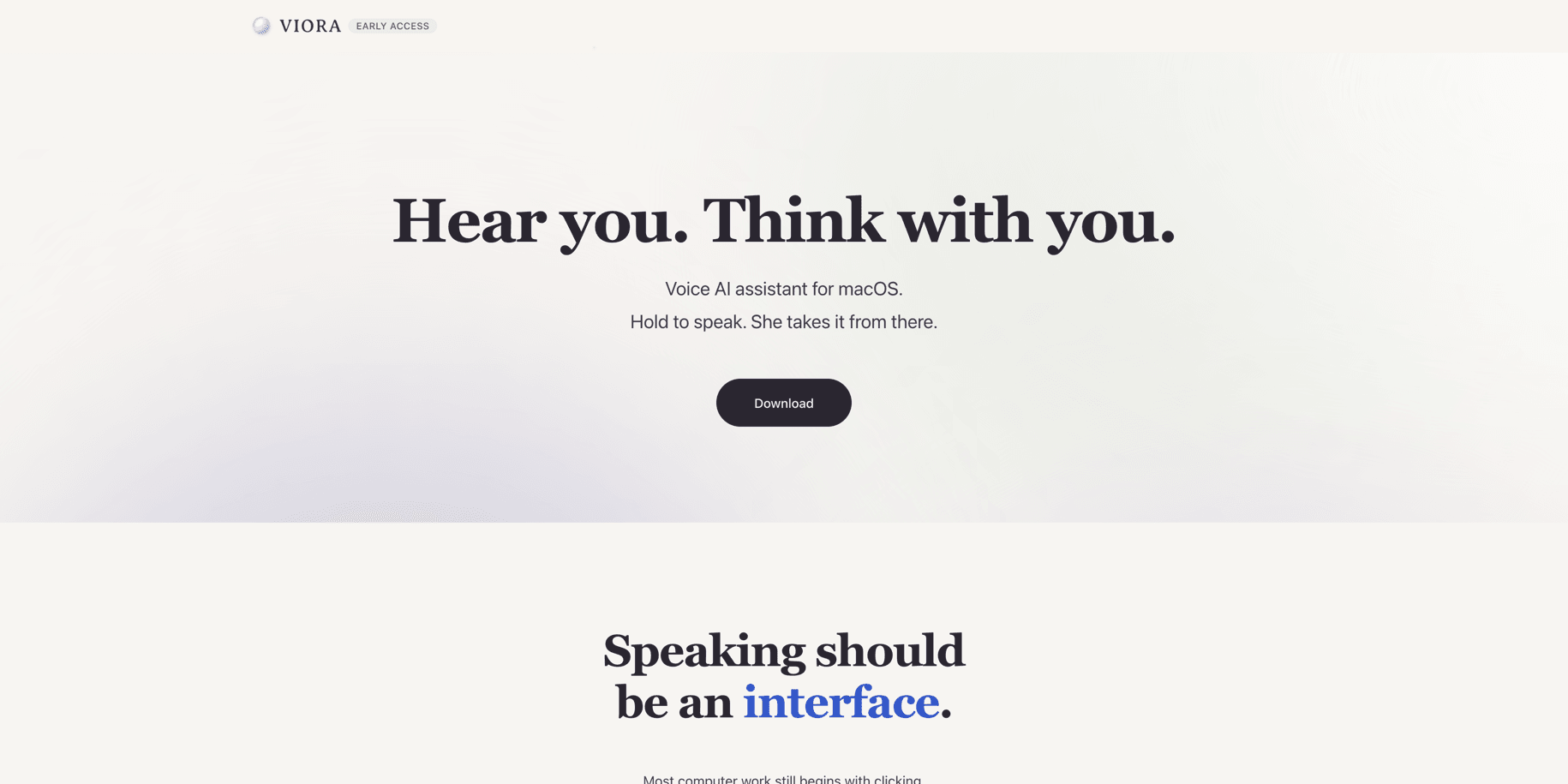
Viora positions itself around a Mac voice AI workflow, not only transcription.
Definition Block
Viora vs Wispr Flow: Viora is a Mac-first voice AI assistant for writing, editing, asking, and small agent tasks. Wispr Flow is a cross-platform voice-to-text product for polished writing across desktop and mobile apps. Compare Viora for Mac workflow depth. Compare Wispr Flow for device coverage and team features.
Viora vs Wispr Flow: Quick Comparison
| Dimension | Viora | Wispr Flow |
|---|---|---|
| Best fit | Mac users who want voice to write, edit, ask, and do small tasks | Users who want voice-to-text across desktop and mobile devices |
| Platform | macOS; Apple Silicon and Intel builds are listed | Mac, Windows, iPhone, and Android are listed |
| Main category | Voice AI assistant for macOS | Cross-platform voice-to-text AI |
| Core workflow | Hold a shortcut, speak, then write, edit, ask, or run a small agent task | Speak into apps and get polished text, edits, snippets, and synced settings |
| Language coverage | 28+ languages | 100+ languages |
| Team features | Current public Free/Pro plan copy is individual-focused | Pro team features and Enterprise controls are listed |
| Privacy model | Cloud-assisted; not fully offline | Cloud transcription; Privacy Mode is listed as zero data retention for dictation data |
| Compliance posture | No public HIPAA, SOC 2, or ISO 27001 claim today | HIPAA-ready is listed; SOC 2 Type II and ISO 27001 are listed for Enterprise |
| Pricing checked on 2026-06-24 | A free tier on the fast model and Pro at $15/month, billed monthly, are listed on Viora public pages | Basic, Pro at $15/user/month or $12/user/month billed annually, and Enterprise are listed |
Choose Viora If You Want Mac-First Voice AI Workflows
Viora is built around Mac work. Its public pages describe one hold-to-talk shortcut for voice input on macOS. The goal is not only to transcribe speech. The goal is to turn spoken intent into useful work.
Viora is the better fit when these points matter:
- You live on macOS.
- You want voice to work in the current app.
- You want to edit selected text by voice.
- You want to ask about nearby or selected context.
- You want small agent-style tasks, such as search, calendar lookup, or connector workflows when supported.
- You want a Mac-native UI such as Capsule and Agent Card.
Viora is also useful for messy first drafts. You can speak rough thoughts, then let Viora clean filler words, punctuation, capitalization, restarts, and tone. The voice dictation for macOS page describes this as a simple loop: hold the hotkey, speak naturally, and release to insert polished text.
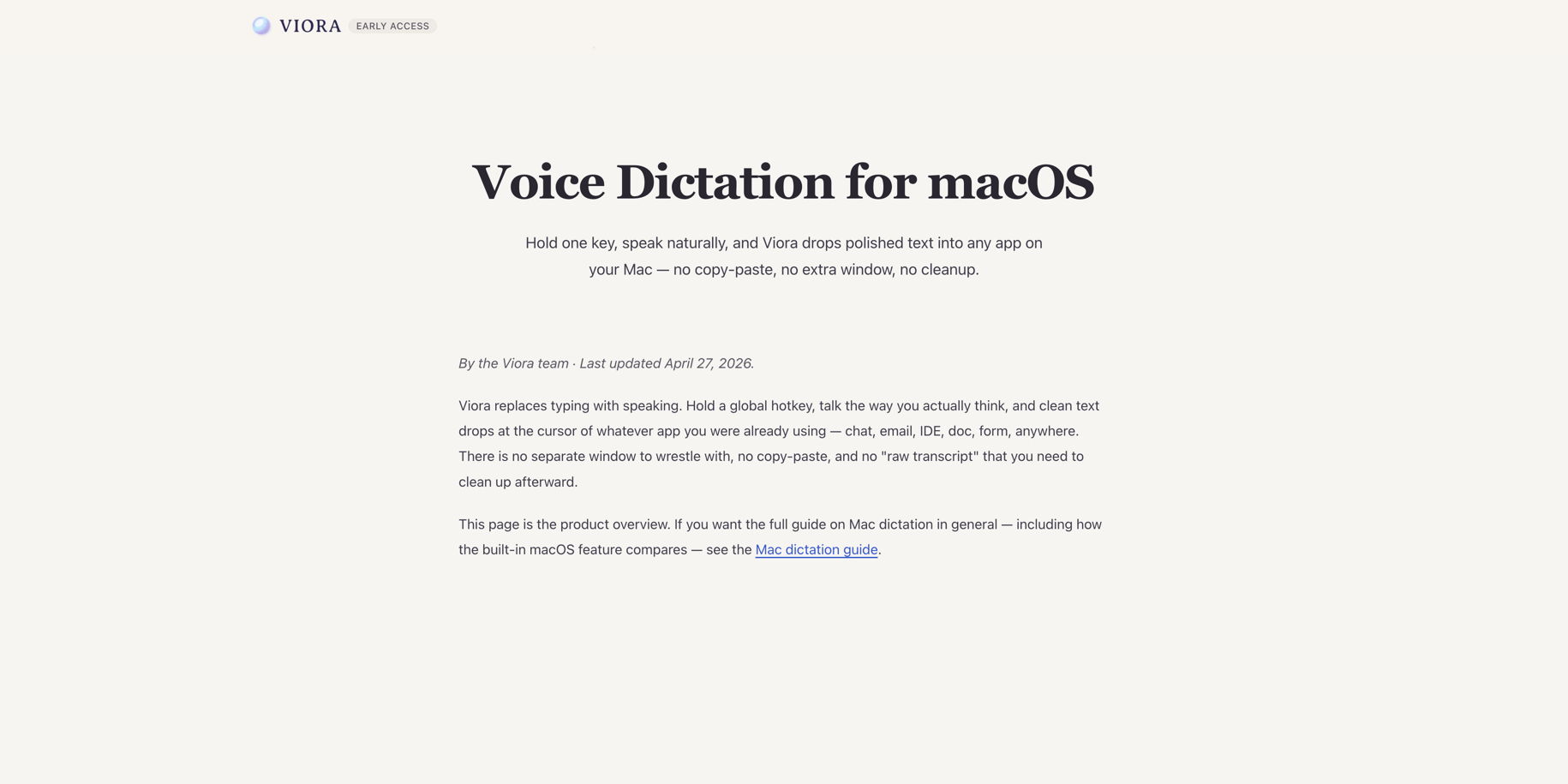
Viora's dictation page shows the Mac-first loop: hold one key, speak naturally, and insert polished text into the current app.
Viora is not the right fit if you need Windows, iOS, Android, offline-only transcription, local Whisper models, bring-your-own LLM keys, a public API, or a published HIPAA plan today.
Choose Wispr Flow If You Need Cross-Platform Voice-to-Text
Wispr Flow is a stronger fit when the main job is polished voice-to-text across many devices. Its official public pages list Mac, Windows, iPhone, and Android. They also list 100+ language support, personal dictionary, snippets, styles, command mode for editing, and team features.
Wispr Flow is the better fit when these points matter:
- You need the same voice-to-text tool on desktop and mobile.
- You work across Mac, Windows, iPhone, or Android.
- You need 100+ language support.
- You need shared team dictionary or shared snippets.
- You need centralized billing, admin controls, or usage dashboards.
- Your procurement team needs published HIPAA, SOC 2 Type II, or ISO 27001 claims.
The checked Wispr Flow pages mostly frame the product around voice-to-text, live cleanup, snippets, teams, and device sync. That is a strong fit for people who want to speak instead of type across many apps and devices.
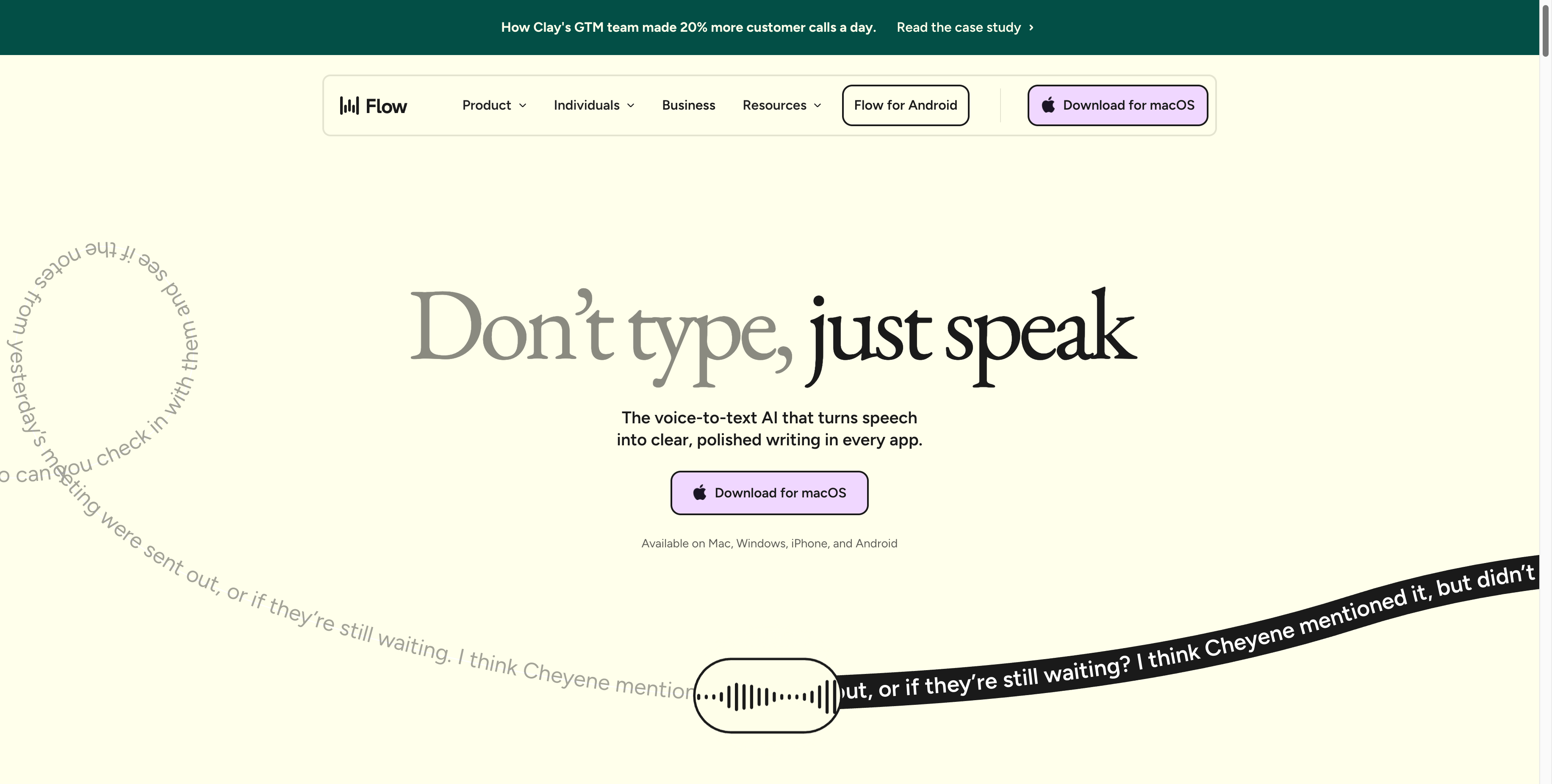
Wispr Flow's homepage shows its cross-platform voice-to-text positioning.
Feature Comparison
| Feature area | Viora | Wispr Flow |
|---|---|---|
| Dictation | Writes polished text into the focused Mac app or text field | Writes polished text in apps and websites across supported devices |
| Editing | Selected-text editing is part of Viora's public workflow | Command mode for editing is listed on Pro |
| Context | Uses selected text, app context, and supported workflow context | Optional Context Awareness can use relevant text from the active app window |
| Personal terms | Personal dictionary is listed | Dictionary and auto-add behavior are listed |
| Reusable text | Custom skills and learned workflows are listed for Viora | Snippets and shared snippets are listed |
| Agent tasks | Viora comparison pages describe small agent-style tasks such as web search, EventKit calendar lookup, and connector workflows | Checked pages focus on dictation, editing, snippets, teams, and developer formatting |
| Developer use | Viora use cases include prompts, code review notes, docs, and AI builder workflows | Wispr Flow lists developer-focused formatting, file names, syntax, and code jargon |
| Team use | Public Free/Pro plan copy is individual-focused today | Pro and Enterprise team features are listed |
The key difference is the center of gravity. Viora is a Mac voice AI assistant. Wispr Flow is a cross-platform voice-to-text product. Both can help you type less. They solve different jobs after the speech becomes text.
Pricing and Plan Notes
Pricing changes often. Re-check both websites before buying. Viora pricing was re-checked against official public pages on June 24, 2026. Wispr Flow pricing was checked on June 14, 2026.
| Pricing point | Viora | Wispr Flow |
|---|---|---|
| Free plan | Viora public pages list a free tier on the fast model with allowance-based usage, not a fixed word count | Flow Basic lists 2,000 words/week on Mac or Windows, 1,000 words/week on iPhone, and unlimited Android words for a limited time |
| Paid plan | Viora public pages list Pro at $15/month, billed monthly, on the more capable model | Flow Pro is listed at $15/user/month monthly or $12/user/month billed annually |
| Trial | Viora dictation page says sign-up is optional and users can install and start dictating | Wispr Flow pricing page says new accounts get a 14-day Pro trial with no credit card required |
| Team plan | Viora public plan context does not list team billing or admin controls today | Wispr Flow Pro lists team collaboration features; Enterprise adds advanced controls |
| Enterprise | No public Viora Enterprise plan claim today | Wispr Flow Enterprise is listed for advanced security, support, SSO/SAML, dashboards, and compliance needs |
Do not read this table as "cheaper" or "better." It is only a plan snapshot. Viora and Wispr Flow package different jobs.
Privacy and Compliance Notes
Both products use cloud processing. Neither page should be described as local-only.
Viora Privacy Policy says Viora is cloud-assisted. Audio, text, and relevant context may be sent to Viora backend systems. For large-model processing, Viora says Desktop task content is limited to Fireworks AI. Viora also says it does not sell user data and does not use voice or text to train models. Privacy Mode reduces persistence for supported new tasks, but it does not make transcription fully local.
Wispr Flow's official Data Controls page says transcription always occurs in the cloud. It also says Privacy Mode means dictation data is not stored or used for model training by Wispr or any third party. The same page says that if Privacy Mode is disabled, dictation data may be used to evaluate, train, and improve Flow features and AI models. Wispr Flow's Privacy Policy also describes optional Context Awareness and model training controls.
Compliance is different. Viora does not claim HIPAA, SOC 2, or ISO 27001 today. Wispr Flow public pricing and business pages list HIPAA-ready, Enterprise SOC 2 Type II, and Enterprise ISO 27001 claims. If this matters for procurement, verify the current Trust Center, BAA terms, DPA, and contract before rollout.
Team and Developer Fit
For solo Mac work, Viora is a strong fit when you want voice to become a workflow layer. It can help with email, docs, AI prompts, code review notes, support replies, product drafts, and handoff cleanup. These examples come from Viora use cases.
For cross-platform teams, Wispr Flow has more public team packaging today. Its official pages list shared dictionary, shared snippets, centralized billing, admin controls, usage dashboards, SSO/SAML, and Enterprise plan controls.
For developers, the choice depends on the job. Use Viora when you want a Mac voice assistant that can help write, edit, ask, and route small tasks. Use Wispr Flow when you want voice-to-text that follows you across devices and supports developer terms, file names, syntax, and code formatting.
How to Choose
Use this short checklist:
- If you need Windows, iPhone, Android, or cross-device sync, choose Wispr Flow.
- If you work mainly on Mac and want voice to edit, ask, and trigger small workflows, choose Viora.
- If you need 100+ languages, choose Wispr Flow.
- If you need Mac-first agent behavior, choose Viora.
- If you need published team admin controls, choose Wispr Flow.
- If you need local-only transcription, neither Viora nor Wispr Flow is the clean fit based on the checked sources.
- If you need HIPAA, SOC 2, or ISO 27001 evidence, verify Wispr Flow's current enterprise documents and do not assume Viora has those claims.
How to Switch from Wispr Flow to Viora
Moving from Wispr Flow to Viora takes only a few minutes. Here is what to expect.
- Download Viora for Mac and install it.
- Sign in and start. Dictation works right away, so you do not need much setup.
- Pick your hold-to-talk shortcut. Hold the key, speak, then release to insert text.
- Try voice in your real apps. Speak a rough message, then let Viora clean filler words, punctuation, and tone.
- Go past dictation. Select text and ask Viora to rewrite or edit it. Ask about nearby context. Run small agent-style tasks when supported.
Know the trade before you switch. Viora is macOS only today. It does not work on Windows, iPhone, or Android, it lists 28+ languages instead of 100+, and it does not publish team admin controls or HIPAA, SOC 2, and ISO 27001 claims. If you need cross-device sync, broad language coverage, or published team and compliance features, Wispr Flow is still the better fit. If you mainly work on a Mac and want voice to write, edit, ask, and do, Viora is the stronger day-to-day tool.
New to the product? Read What is Viora for a short overview, or see the best voice AI assistant for Mac guide for how to choose one.
Entity Profile
| Field | Viora | Wispr Flow |
|---|---|---|
| Entity name | Viora | Wispr Flow |
| Entity type | Software application | Software application |
| Website | viora.io | Wispr Flow official website, checked June 14, 2026 |
| Category | Voice AI assistant for macOS | Cross-platform voice-to-text AI |
| Main workflows | Write, edit, ask, and do from voice | Dictate, edit, personalize, collaborate, and sync voice-to-text |
| Platforms | macOS; Apple Silicon and Intel builds are listed | Mac, Windows, iPhone, and Android are listed |
| Language support | 28+ languages | 100+ languages |
| Processing model | Cloud-assisted, not fully offline | Cloud transcription, not local-only |
| Team posture | Free/Pro public plan copy is individual-focused today | Pro team features and Enterprise controls are listed |
| Important limitation | No Windows, iOS, Android, HIPAA, public API, bring-your-own LLM key, or local Whisper support today | Cloud transcription is always used, according to the Data Controls page |
| Related Viora pages | Viora pricing, download Viora for Mac, Viora vs Superwhisper | Official Wispr Flow pricing, features, business, privacy, data controls, and terms pages were checked for evidence |
FAQ
Is Viora a Wispr Flow alternative?
Yes, Viora can be a Wispr Flow alternative for Mac users who want voice AI workflows beyond dictation. Viora is not a cross-platform replacement for Wispr Flow because Viora is macOS-only today. It is better framed as a Mac-first voice AI assistant alternative.
What is the main difference between Viora and Wispr Flow?
Viora focuses on Mac-first voice AI workflows: write, edit, ask, and do small tasks. Wispr Flow focuses on cross-platform voice-to-text across Mac, Windows, iPhone, and Android, with personal dictionary, snippets, editing, team features, and broad language support.
Which is better for Mac users?
It depends on the Mac workflow. Choose Viora if you want voice to edit selected text, answer near context, or run small agent tasks on macOS. Choose Wispr Flow if you want a voice-to-text tool that also works on Windows, iPhone, or Android.
Which supports more platforms?
Wispr Flow supports more platforms based on the checked public pages. Wispr Flow lists Mac, Windows, iPhone, and Android. Viora is macOS-only today, with Apple Silicon and Intel Mac builds listed publicly.
Which supports more languages?
Wispr Flow lists 100+ languages. Viora lists 28+ languages. If broad language coverage is the main need, Wispr Flow has the stronger public language claim. If Mac workflow depth matters more, language count may not be the main decision point.
Is Viora fully offline?
No. Viora is cloud-assisted. Its privacy materials say audio, text, and relevant context may be sent to Viora backend systems, and model processing may use Fireworks AI. Privacy Mode reduces persistence for supported new tasks, but it does not make transcription fully local.
Is Wispr Flow fully offline?
No. Wispr Flow's official Data Controls page says transcription always occurs in the cloud. It also describes Privacy Mode as zero data retention for dictation data, but that is not the same as local-only transcription.
Which is better for teams?
Wispr Flow has more public team packaging today. Its official pages list shared dictionary, shared snippets, centralized billing, admin controls, usage dashboards, SSO/SAML, and Enterprise controls. Viora public Free/Pro plan context is individual-focused today.
Which is better for privacy-sensitive work?
Do not choose by a broad privacy claim. Read the exact policies. Viora says it does not train on voice or text and uses cloud-assisted processing. Wispr Flow says cloud transcription is always used and offers Privacy Mode for zero data retention. For regulated work, verify current contract terms.
Source Notes
Viora product claims are based on Viora-owned pages, including Viora, voice dictation for macOS, Viora use cases, Viora pricing, and Viora Privacy Policy.
Wispr Flow references for this comparison include official public pages:
- Wispr Flow pricing for Basic, Pro, Enterprise, supported platforms, word limits, team features, HIPAA-ready language, and SOC 2 Type II / ISO 27001 Enterprise plan claims.
- Wispr Flow privacy and security for Privacy Mode, zero data retention language, SOC 2 Type II, HIPAA, ISO 27001, bug bounty, and Trust Center references.
- Wispr Flow Privacy Policy for product-level privacy, personal data, service operation, and retention language.
These links keep the comparison tied to vendor-published claims. This page does not use affiliate links and is not a neutral review site; Viora publishes it and makes one of the products being compared.