We Built Samantha from Her: A Real AI Voice Assistant for Mac
Viora is a personal AI assistant for Mac that brings the Her movie's Samantha to life. Voice input, file management, email handling, research, and more.
By Nexmoe, co-founder of Viora — I'm a product builder with years of experience in audio and video technology. I built Viora with my team because Mac users needed a real AI assistant that works inside their apps, not another chatbot.
Remember watching the movie Her? You probably thought "I want that."
The AI personal assistant that remembers what you like. It edits your emails. It manages your schedule. It finds information for you. It feels like a real helper. Like Jarvis from Iron Man or Samantha from Her.
We built it. It's called Viora. It runs on your Mac today. Think of it as the best AI personal assistant for Mac users.
Most people finish Her wanting an AI helper for daily tasks. They want the scene where Samantha reads through Theodore's messy inbox. She says "I found 1,000 old emails from LA Weekly. Let's keep 86 and delete the rest." They want her to book restaurants. To remind him about birthdays. To fix his writing.
That's not science fiction anymore. Viora does these things on your Mac. You use your voice. It remembers your habits. It handles files and emails. It checks your calendar. It does research. It connects to the apps you already use.
The difference is simple. Viora asks before deleting emails or doing important tasks. It's a real helper. Not a movie character.
Here's what we built and how it matches Samantha.
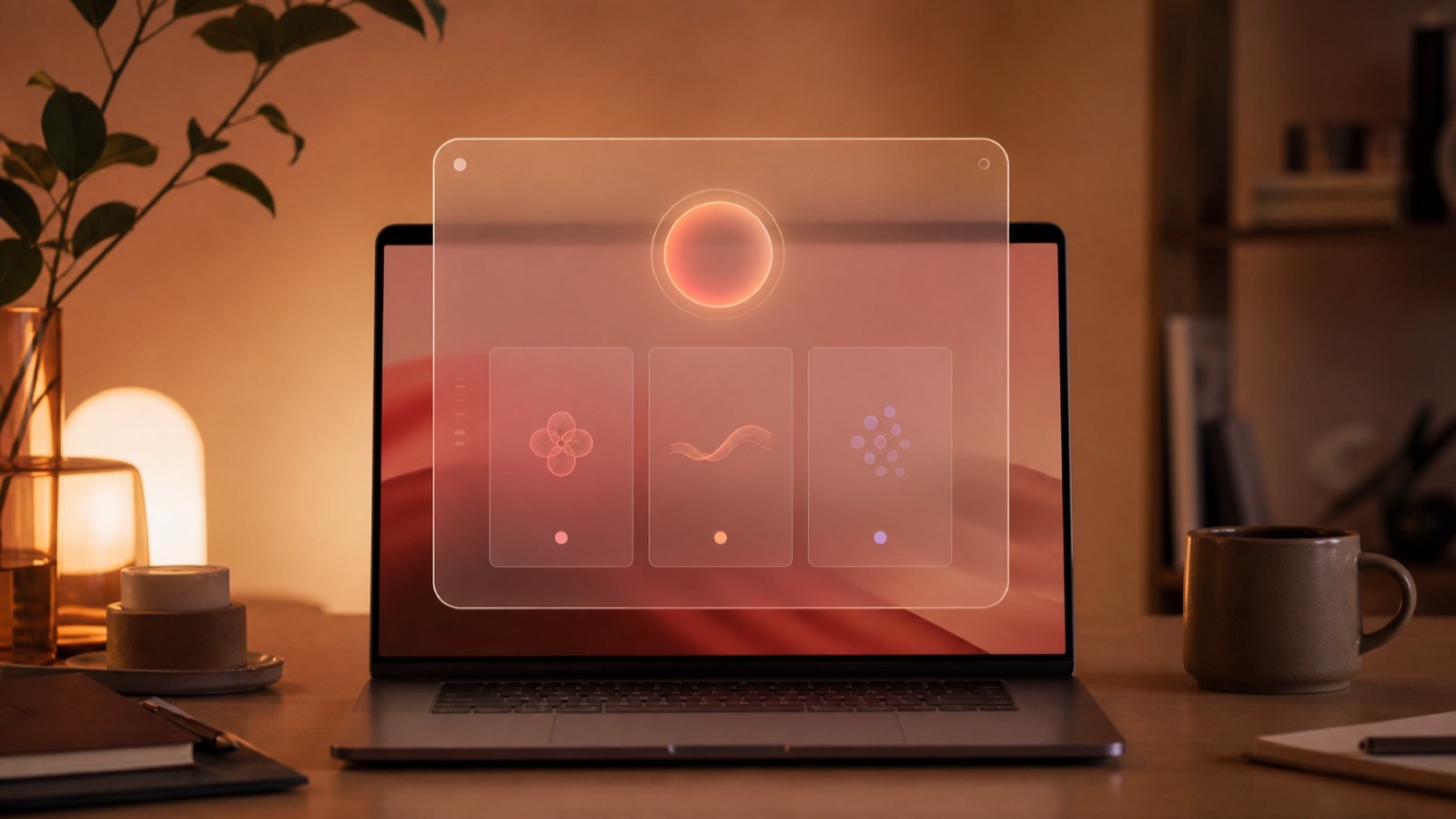
An original concept image based on the OS ONE setup idea. Not a film screenshot.
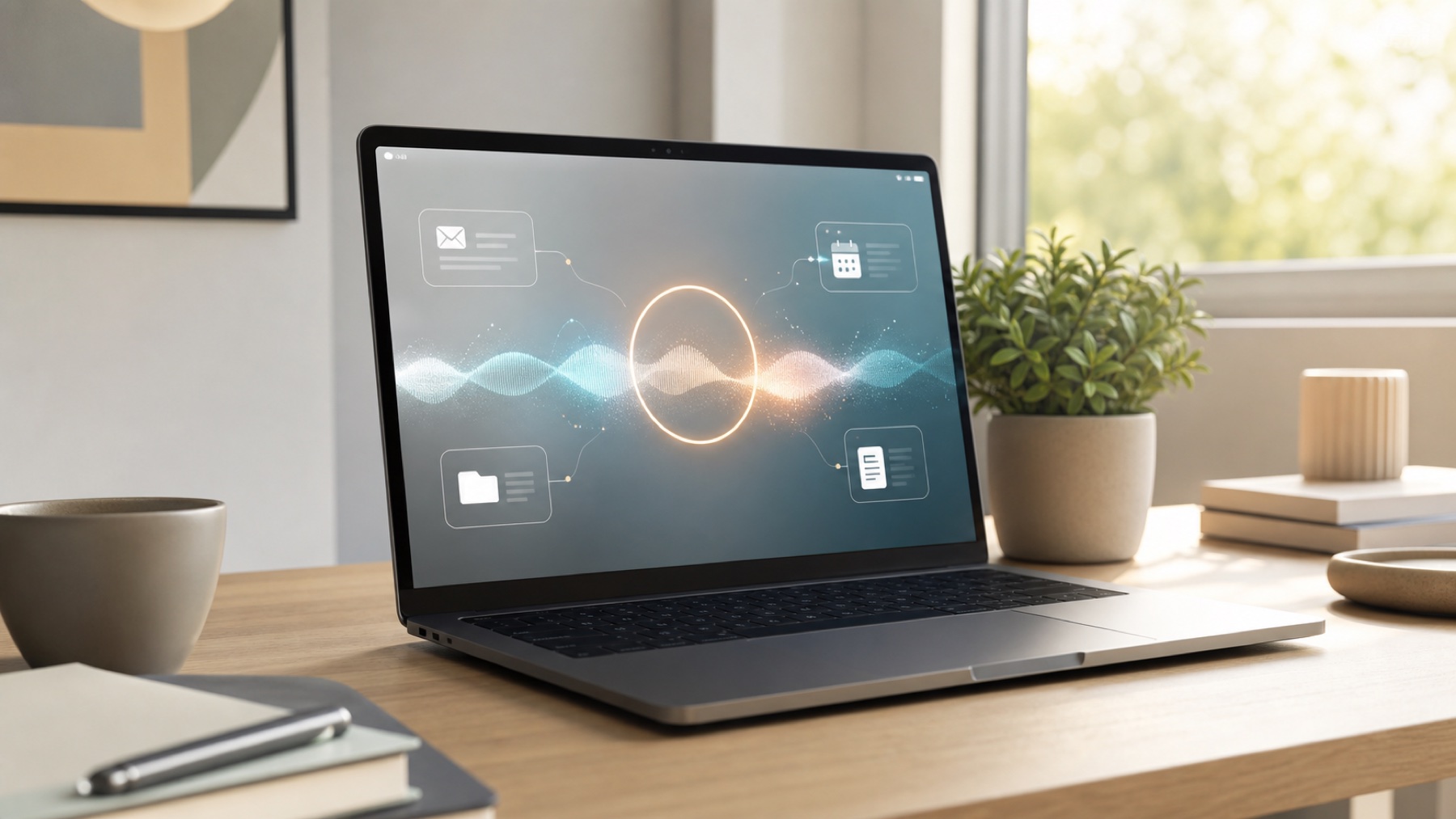
A real AI assistant should feel calm and useful. Not like science fiction.
What You Need to Know
- Viora does 11 out of 13 things Samantha could do in Her
- It handles files safely (you stay in control)
- It works with Gmail to help clean your inbox (you approve each action)
- Basic voice typing is free forever
- Pro version is $15 per month (adds memory and smart suggestions)
What Samantha Could Do (And What Viora Does Now)
The Her movie showed an AI that understood Theodore's life. It helped with small tasks. Samantha asked questions at setup. She learned his style. She managed files. She cleaned email. She set reminders. She looked up people. She wrote messages. She worked quietly.
Let's compare the movie to what Viora does today on Mac.
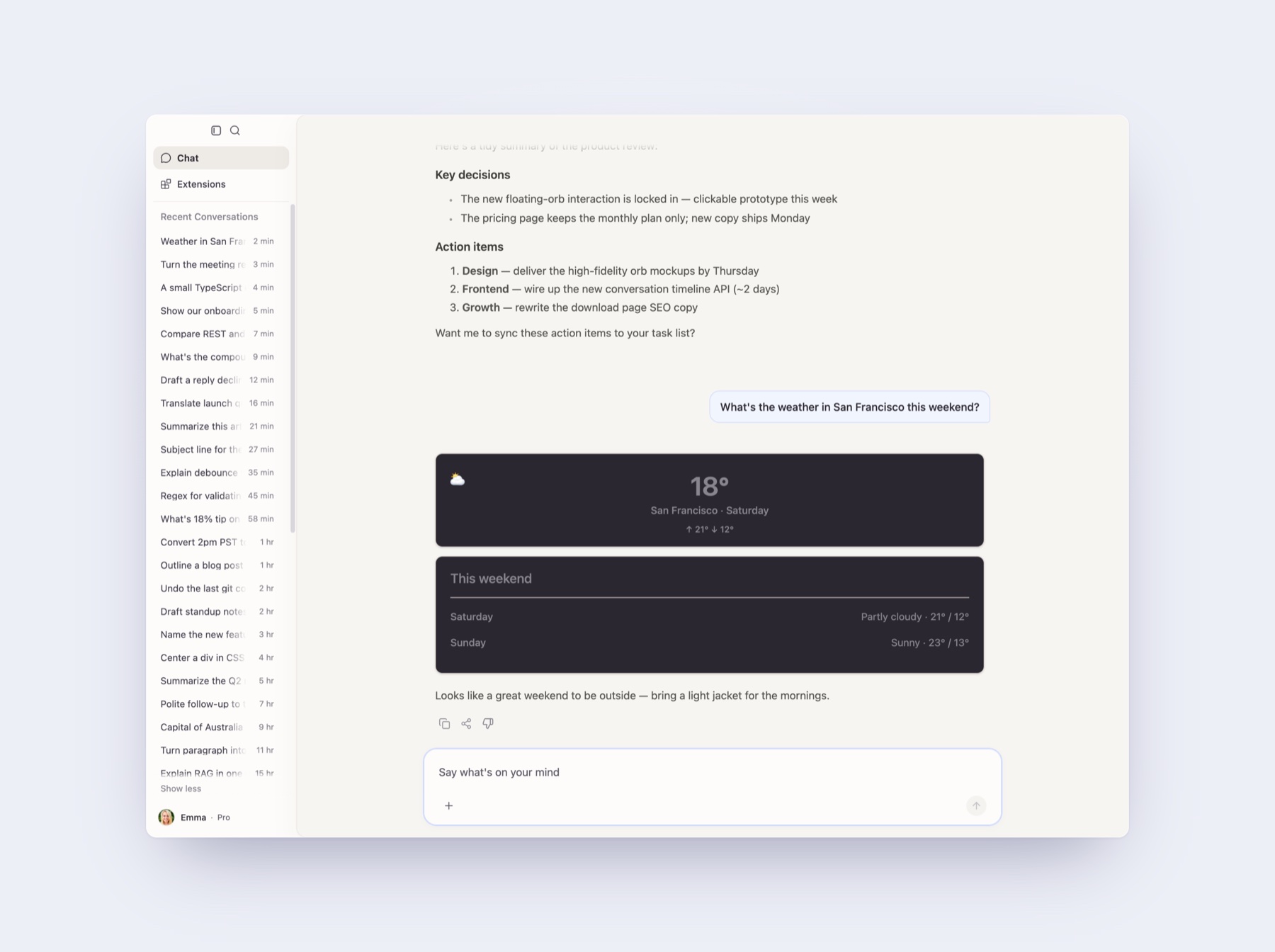
Viora keeps useful context and lets you return to past assistant work.
✅ Personal Memory
Samantha in Her - The setup asked about social style and voice choice. Then it made an AI fit for Theodore.
Viora today - It remembers things about you. Your writing style. Your work hours. Your meeting times. You can see what it remembers. You can change it or delete it.
Marcus started using Viora in March 2026. He said once "I like casual tone for teammates. Formal tone for clients." Two weeks later Viora changed email drafts to match. He also said "No calls before 10am." Now when someone wants a morning meeting, Viora suggests 10am or later.
This matters. A voice helper that remembers is useful. One that forgets is just a search tool.
✅ File Help
Samantha in Her - She asked to look through Theodore's computer files. She helped organize the mess.
Viora today - It can read your files. It can help rename them. It finds duplicate files. It suggests better organization. Viora always asks before changing or deleting anything.
Sarah runs a design studio. She had 300 image files with no names in her Downloads folder. All from client work. She asked Viora to scan the folder and suggest good names. Viora made a plan based on dates and image content. Sarah approved it. Her Downloads went from chaos to organized in two minutes.
You stay in control. Viora can help with files. But you approve changes.
✅ Email Cleanup
Samantha in Her - She scanned old emails. Found lots of LA Weekly messages. Suggested keeping 86 and deleting the rest.
Viora today - It works with Gmail. Send, reply, forward, and delete. Every action needs your OK. You can ask Viora to scan for newsletters. It makes a cleanup plan. You approve each step.
Mike works at a startup. He had 2,000 unread emails. Mostly ads and promotions. He asked Viora to find emails from shopping sites he never opened. Viora found 47 senders. It suggested unsubscribing and deleting. Mike looked at the list. He kept three brands he liked. He approved the rest. His inbox dropped from 2,000 to 300 in five minutes.
This is the practical version of that movie scene. The AI scans and plans. You make the final choice.

The movie made email cleanup feel simple. This is an original concept image.
✅ Text Editing
Samantha in Her - She checked spelling and grammar in Theodore's letters.
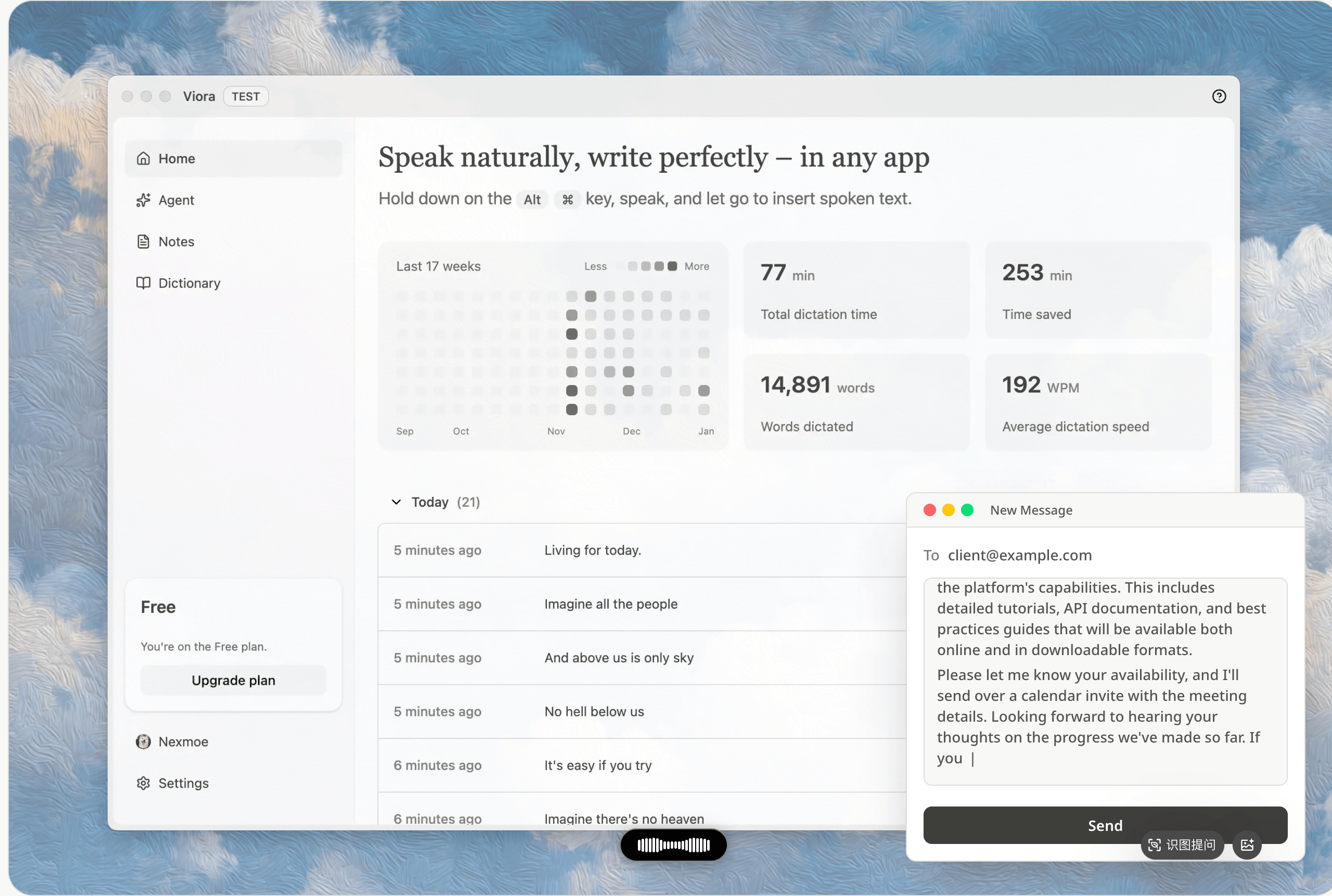
Viora today - This is what Viora does best. It works as a dictation app for Mac with smart editing. Select text anywhere on Mac. Hold a key. Say "fix grammar" or "make this formal" or "make this shorter." Viora changes the text right there. No copying and pasting. No switching apps.
Think of it as Mac voice to text with AI help. But better than basic voice to text on Mac. It understands what you want and makes it sound good.
Emma leads a support team. She uses Viora to fix customer replies. She types a quick answer with mistakes and casual words. She selects it. She says "make this professional and kind." Viora rewrites it in three seconds. She sends 40 replies per day. This saves her 15 minutes every day.
Viora works everywhere on Mac. Code notes. Slack messages. Meeting notes. Any text box.
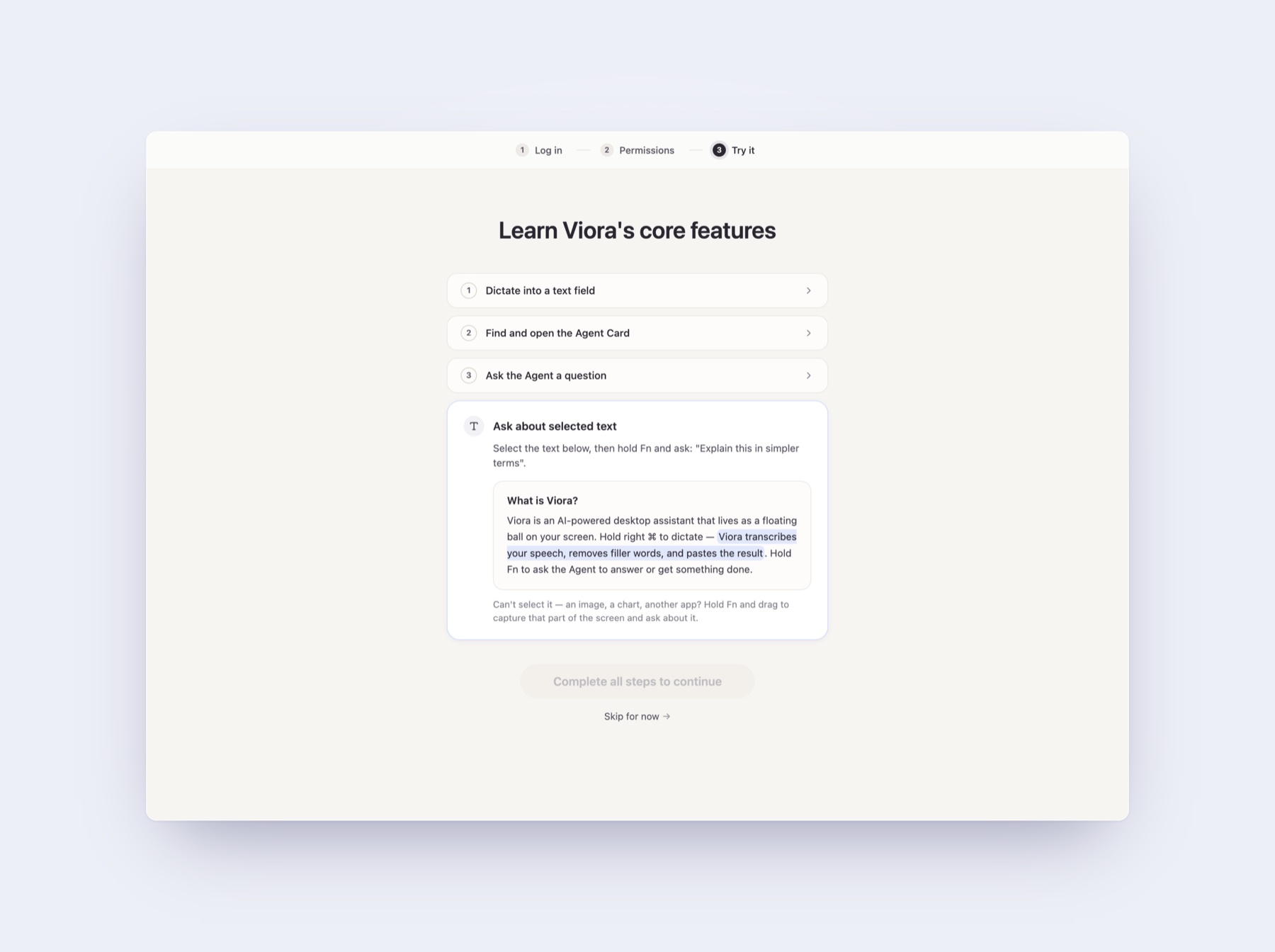
Select text, ask for a change, and keep working in the same app.
✅ Calendar and Reminders
Samantha in Her - She read an email about Theodore's goddaughter's birthday on the 29th. She reminded him. She also booked a restaurant.
Viora today - It works with Apple Calendar and reminders. You can say "remind me about Emma's birthday on June 29. Two days before." It works. You can ask "what's on my calendar tomorrow" or "move my 3pm meeting to 4pm."
For restaurant booking, Viora makes a calendar event. You say "dinner at 7pm Friday at Flour + Water. Invite Claire." Viora creates the event with location and guest. You handle the actual table booking.
It also works with Google Calendar. If you use both calendars, Viora sees both.

Voice tasks can turn into a clear checklist.
✅ Research
Samantha in Her - She gave Theodore details about his date. Education background. Interests.
Viora today - Web search and research tools help Viora look up topics. It makes summaries. It saves notes. You can ask "research this person and their recent work" or "find the latest news about this topic." Viora gives you a summary.
David works in sales. He had a call with a new big customer. He asked Viora to research the company. Recent funding. Tech they use. Conference talks by their CTO. Viora gave him a one page summary in under a minute. David used it to customize his demo. He closed the deal two weeks later.
This is like the date prep scene from Her. But for work. The AI does research. You use what it finds.
✅ Email Drafting
Samantha in Her - She looked at a date lead. Made a summary. Offered to email her. Handled the message.
Viora today - Research plus Gmail equals social help. You can ask Viora to research someone. Draft an intro email based on shared interests. Send it after you check. The draft shows up in a preview window. You read and edit. Then approve send.
This isn't autopilot. It's AI help where you control the final message and timing.
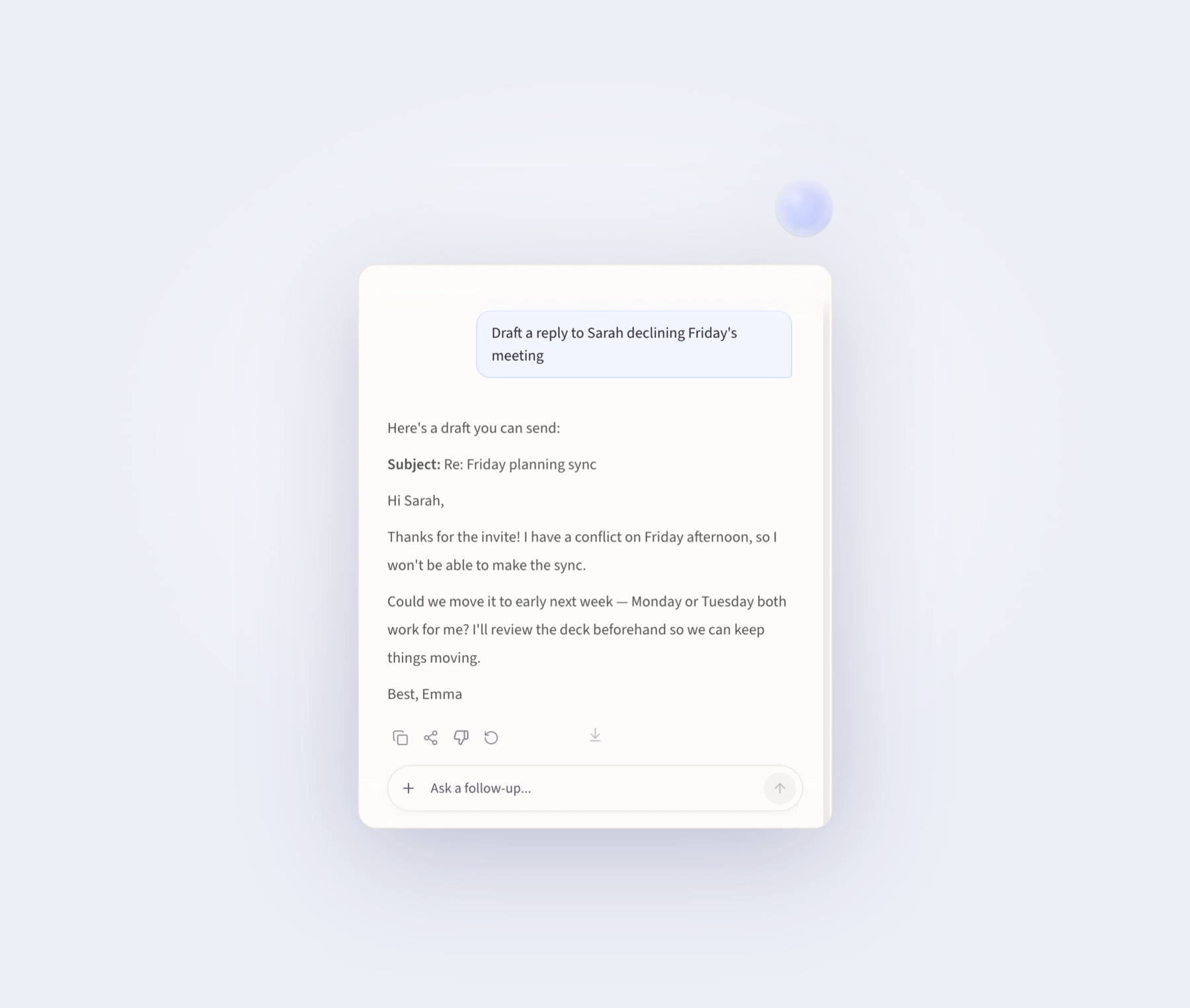
Viora can draft the message. You still review it before it goes out.
✅ Voice News
Samantha in Her - Theodore listened to news headlines. He said "Next" to skip.
Viora today - You can connect news feeds through skills. Viora reads headlines out loud. You say "next" or "skip" to move through items.
This needs some setup (you pick your news sources). But the voice reading and skipping work today.
✅ Voice Search and Messages
Samantha in Her - Theodore used voice to search and send messages.
Viora today - Voice input plus Slack and Gmail. You say "search Slack for this topic" or "send a message to this person saying this." Viora does it. With your approval.
The Slack connection lets you search channels and send messages. Every send action asks for your OK first.
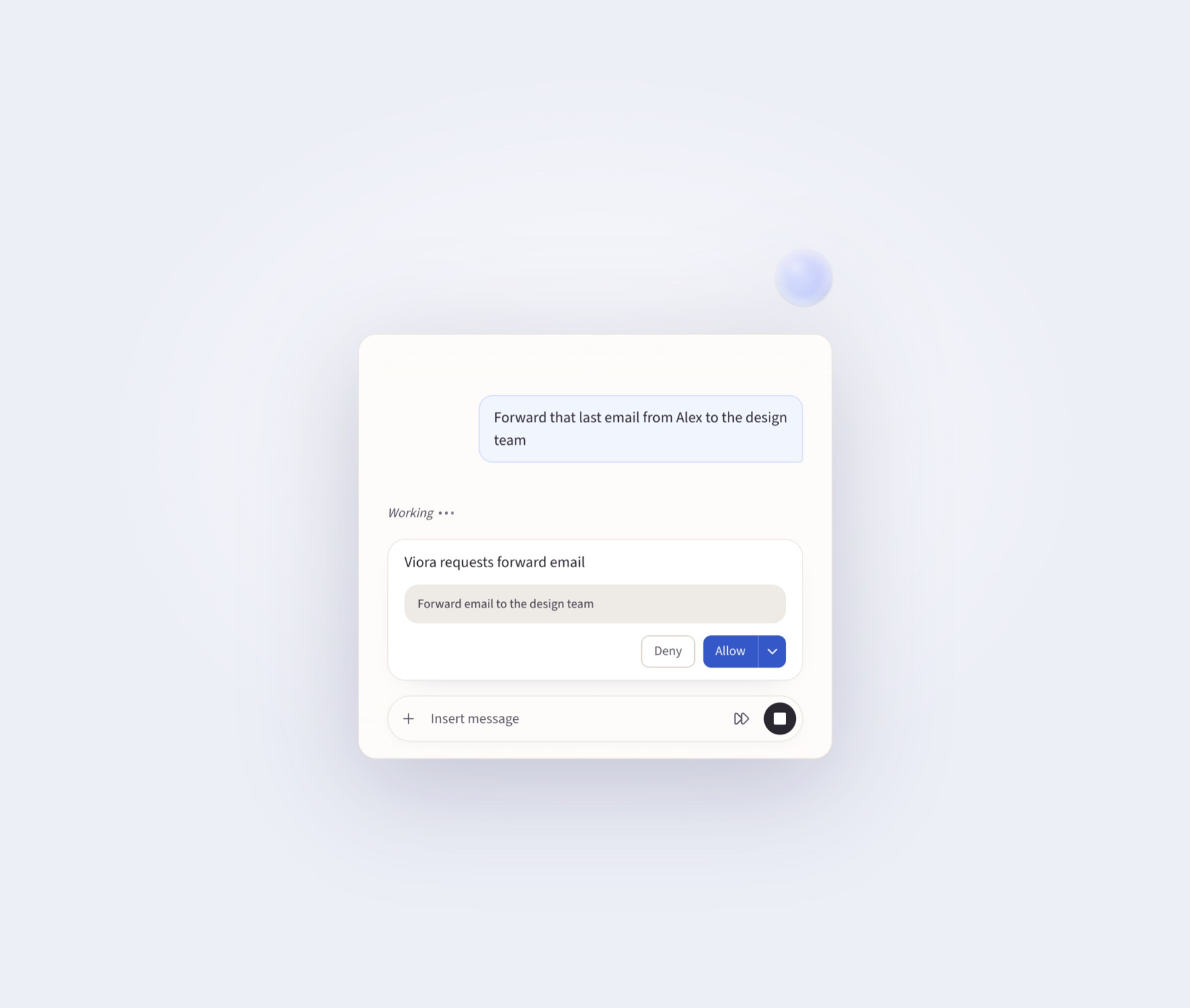
For important actions, Viora asks first.
What Needs Your Help (Partial)
Three things from Her work in Viora. But they need more steps than the movie showed.
⚠️ Contact Sorting
Samantha in Her - She said she wanted to sort through Theodore's contacts.
Viora today - It can see your Mac contacts. But it won't start cleaning them by itself. You need to ask. Say "show me duplicate contacts" or "find contacts missing phone numbers." Then Viora helps organize.
It's not automatic. It's guided. The ability is there. The starting trigger is not.
⚠️ Smart Timing
Samantha in Her - She sent an email before an update. She didn't want to bother Theodore during work.
Viora today - Calendar reminders let you set times. If you say "don't schedule meetings before 10am" or "send this email at 7am tomorrow," it follows that rule. But the AI won't guess "this person is sleeping" or "they're in a meeting" without you saying so.
You set the timing rules. Viora follows them. The automatic time sensing is not built yet.
⚠️ Multi-Step Publishing
Samantha in Her - She read Theodore's old letters. Picked favorites. Sent them to Crown Point Press. Read the reply.
Viora today - File reading plus email sending can do this. But it needs step by step guidance. You ask Viora to read a folder of documents. Rank them. Draft an email. Attach the top three. Send. You approve each step.
It works. But it's not one command. It's a guided process.
Viora Goes Beyond Her in Some Ways
Viora also has things Samantha didn't show in the movie.
Works everywhere on Mac - Any app or text box. No copying and pasting. No switching windows. Hold Fn to speak. Hold Fn plus Ctrl for questions. It works like the best dictation app for Mac but with AI intelligence.
Clean interface - Floating bubble stays at screen edges. Answer window shows results and progress.
Screenshot questions - Hold Fn and drag to capture part of your screen. Then ask about what you captured. Useful when you can't select text.
100 plus languages - It understands over 100 languages when you speak. Works as voice to text Mac app in any language. Modern speech recognition technology has made multilingual support accurate and fast.
Custom skills - Add your own workflows. Connect other services. Teach Viora new commands. Turn them on or off in the Skills page.
Learning patterns - Viora suggests skills for tasks you do often. You check and approve them. Over time it learns your patterns.
Meeting help (coming soon) - Future updates will add meeting sessions with live captions and automatic summaries. This feature is in development.
Free basic voice typing - Voice input plus AI cleanup is free forever. Most competitors limit free use to 1,000 or 8,000 words per week.
What Viora Doesn't Do (Yet or By Choice)
Let's be honest about what Viora can't do. Some things aren't built yet. Some are by design.
Not fully automatic - Viora asks before big actions. Deleting files. Sending emails. Running commands. That's a feature. Not a problem. Automatic helpers that don't ask can make expensive mistakes.
Not on all devices yet - Viora works on Mac only. Windows is planned but no date announced. iPhone and Android are not on the plan. If you need voice help on all devices, try Wispr Flow or Superwhisper.
Not offline - Viora uses internet for speech understanding and AI features. If offline work is required (for rules, privacy, or no internet), Voibe or MacWhisper are better choices.
Not a romantic partner - The Her movie is about AI feelings and love. Viora is a work tool. It won't develop feelings. It won't give breakup advice. It won't have a crisis. It helps you write, edit, research, and handle tasks.
No booking services yet - Viora makes calendar events. But it doesn't connect to OpenTable or travel booking sites automatically. You handle reservations. Or build a custom connection.
No automatic contact sorting - Contact cleanup needs you to start it. Viora won't wake up one morning and say "let me organize your contacts."
How Much Does Viora Cost
Viora has two plans.
Free (always free)
- Basic voice typing (no limit)
- Voice helper
- Works in any Mac app
- Voice replies
- Remembers during each session
- Personal word list
- Works with Gmail, Slack, Notion, Google Calendar
Pro ($15 per month)
- Everything in Free
- Better AI model
- Long term memory
- Faster voice replies
- Smart background suggestions
- Skills that improve over time
- Priority when busy
- Early access to new features
Basic voice typing is free forever. Pro adds memory and smart features. Most competitors limit free voice typing (Wispr Flow 2,000 words per week, VoiceOS 100 uses per week, Willow 2,000 words per week, Typeless 8,000 words per week). Viora doesn't count basic typing.
If you tried to build this yourself, you'd pay for speech recognition, AI models, Gmail access, calendar access, web search, database hosting, and Mac app building. You'd spend weeks setting up. You'd pay at least $30 to $50 per month once you use it daily. Viora does all of that for $15 per month.
Getting Started (Your First Her Moment)
Download Viora for Mac (works on Apple Silicon and Intel Macs).
After you install it.
- Give permissions - Microphone, paste, screen. Viora asks during setup.
- Set your keys - Default is Fn to type by voice. Fn plus Ctrl to ask questions. Change if you want.
- Try voice typing - Open any app. Click in a text box. Hold Fn. Speak naturally. Let go when done. Viora adds clean text.
- Ask questions - Hold Fn plus Ctrl. Say "what's the weather today" or "remind me to call Mom tomorrow at 2pm." A window appears with the answer.
- Connect services - Open Extensions. Connect Gmail and Slack if you want email and message help.
- Teach Viora about you - Say "remember I like casual tone with teammates" or "I don't take meetings before 10am." Viora saves these rules.
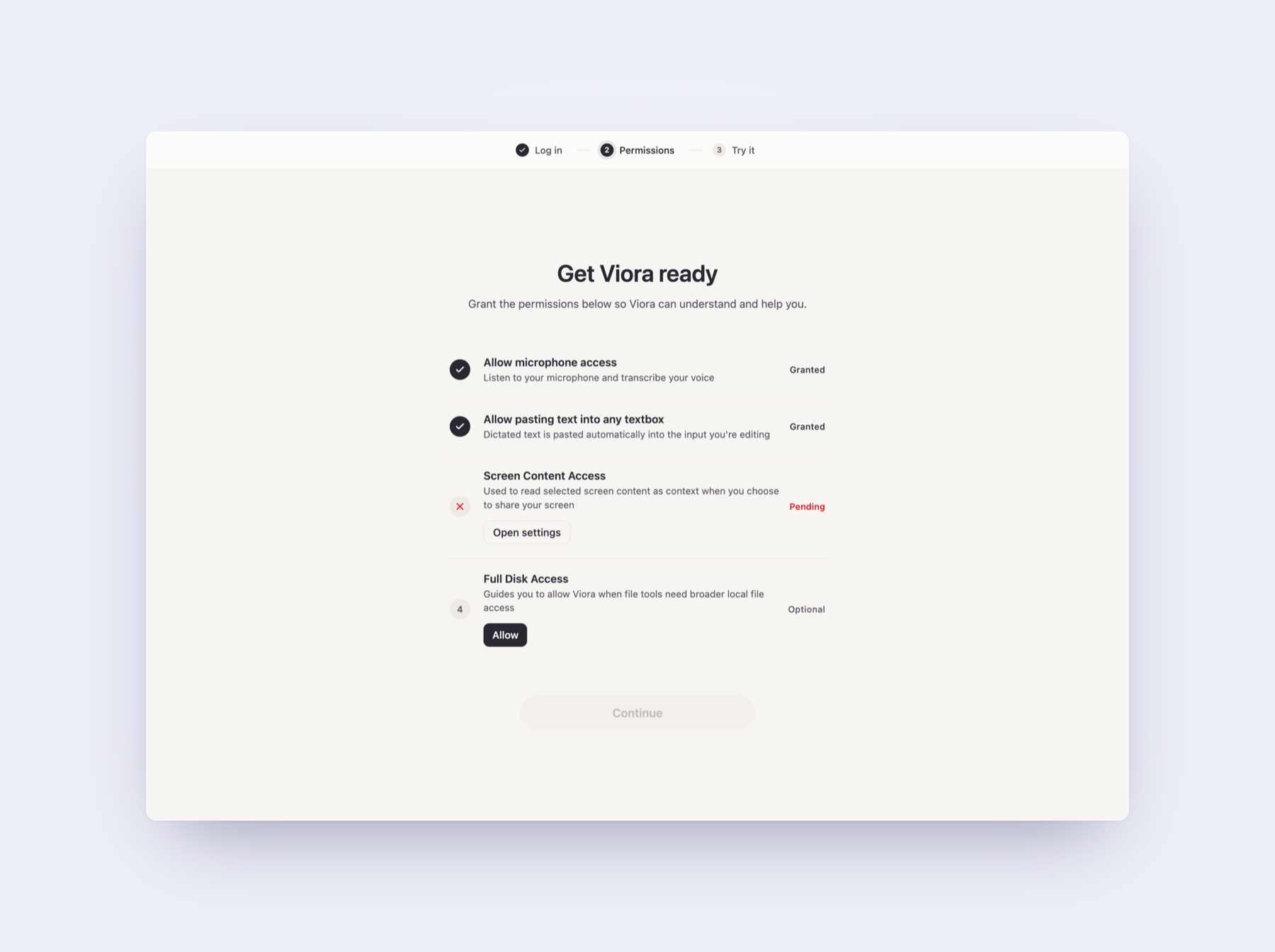
Setup shows the permissions Viora needs for voice, context, and file help.
Your first Her moment happens when Viora remembers something you said two weeks ago. It applies it without you saying it again. That's when it stops feeling like software. It starts feeling like a helper.
Why This Matters (From Movie to Real Tool)
Her came out in 2013. People watched it and said "I want that AI personal assistant." The same happened with Iron Man and the Jarvis AI assistant. Thirteen years later, the technology exists.
Viora isn't the only AI personal assistant. But it's the best AI personal assistant built for Mac users. With memory. With app connections. With file access. With guided help. It's not trying to be Alexa or Google Assistant. It's not for smart homes or trivia. It focuses on writing, editing, research, and tasks inside the apps you use.
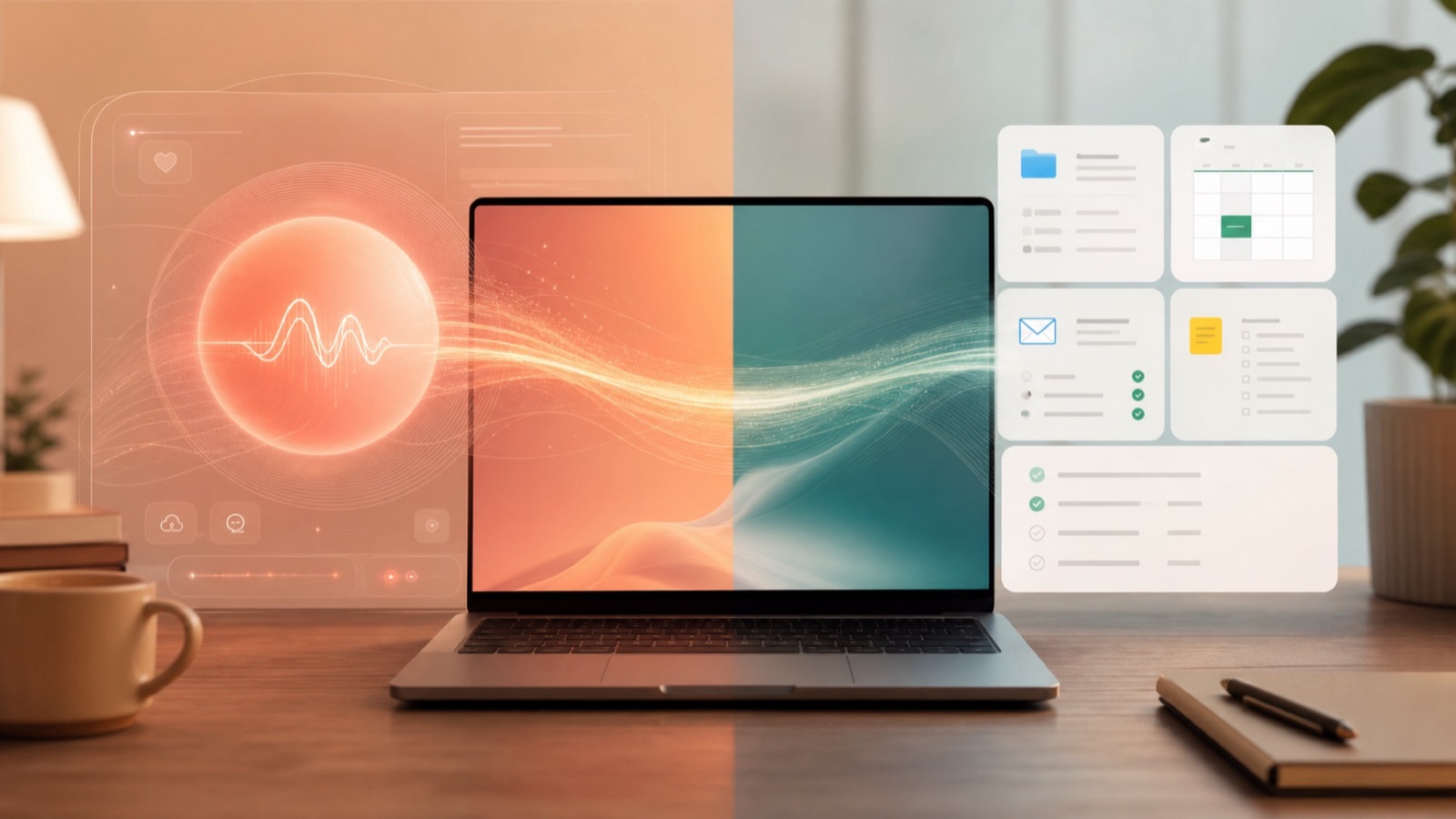
OS ONE made the idea feel human. Real assistants need to turn that feeling into controlled tasks.
The Her comparison matters. It's the clearest example of what an AI personal assistant should feel like. Samantha wasn't just speech to text. She understood context. She took action. She learned habits. She handled complex tasks. That's the goal.
Viora reaches most of it. The parts it doesn't reach yet are coming. Or they're designed to keep you in control.
If you've been waiting for the Her helper to become real, try Viora. It's the closest thing on Mac today.
Common Questions
Is Viora like Samantha from Her?
Viora does 11 out of 13 things Samantha could do. Memory. File help. Email cleanup. Calendar and reminders. Research. Social help. Voice control. The main difference is Viora asks before doing important things. And it doesn't develop feelings.
Can Viora organize my files like Samantha did?
Yes. Viora can read files. It can help rename them. It finds duplicates. It suggests better organization. Viora asks before making changes.
Does Viora clean up email?
Yes. It works with Gmail. Scan inbox. Find patterns like newsletters. Make cleanup plans. Do it with your approval. Every delete or move needs your OK.
Can I use Viora on Windows or iPhone?
Not yet. Viora works on Mac only today. Windows is planned but no date set. iPhone and Android are not planned. If you need help on all devices, check Wispr Flow or Superwhisper.
Is Viora private and offline?
No. Viora uses internet for speech and AI work. Speech isn't processed locally. If offline is required, Voibe or MacWhisper are better.
How much does Viora cost?
Free plan is always free. Basic voice typing with no limit. Pro is $15 per month. Adds long term memory, smart suggestions, better AI, and skills that improve. See Viora pricing for details.
What's different between Viora and Siri?
Siri controls your device. Does web lookups. Handles simple commands. Viora helps with writing, editing, research, and tasks inside Mac apps. Viora remembers. It learns your habits. It works with Gmail and Slack. It supports custom skills. Siri doesn't do these things.
Can Viora learn my habits like Samantha did?
Yes. Viora remembers what you tell it. Writing style. Meeting times. Work rules. Word choices. Work patterns. Over time it suggests skills for repeated tasks. You check and approve them.
Does Viora work in any Mac app?
Yes. Viora uses shortcuts that work anywhere on Mac. Any app or text box. Hold Fn to type by voice. Hold Fn plus Ctrl to ask questions. No copying and pasting. No switching apps.
Can Viora send emails and messages for me?
Yes. With your approval. Gmail works for send, reply, forward, and delete. Slack works for messages and replies. Every send shows a preview first. You approve before it goes out.
Viora is a voice AI helper for Mac. It combines voice typing, memory, file help, email handling, research, and app connections. Try Viora free on Mac.