
Use case
Reply without leaving the thread.
Open the email or chat in front of you. Hold the shortcut. Viora drafts a reply from that context so you can review it before it goes out.
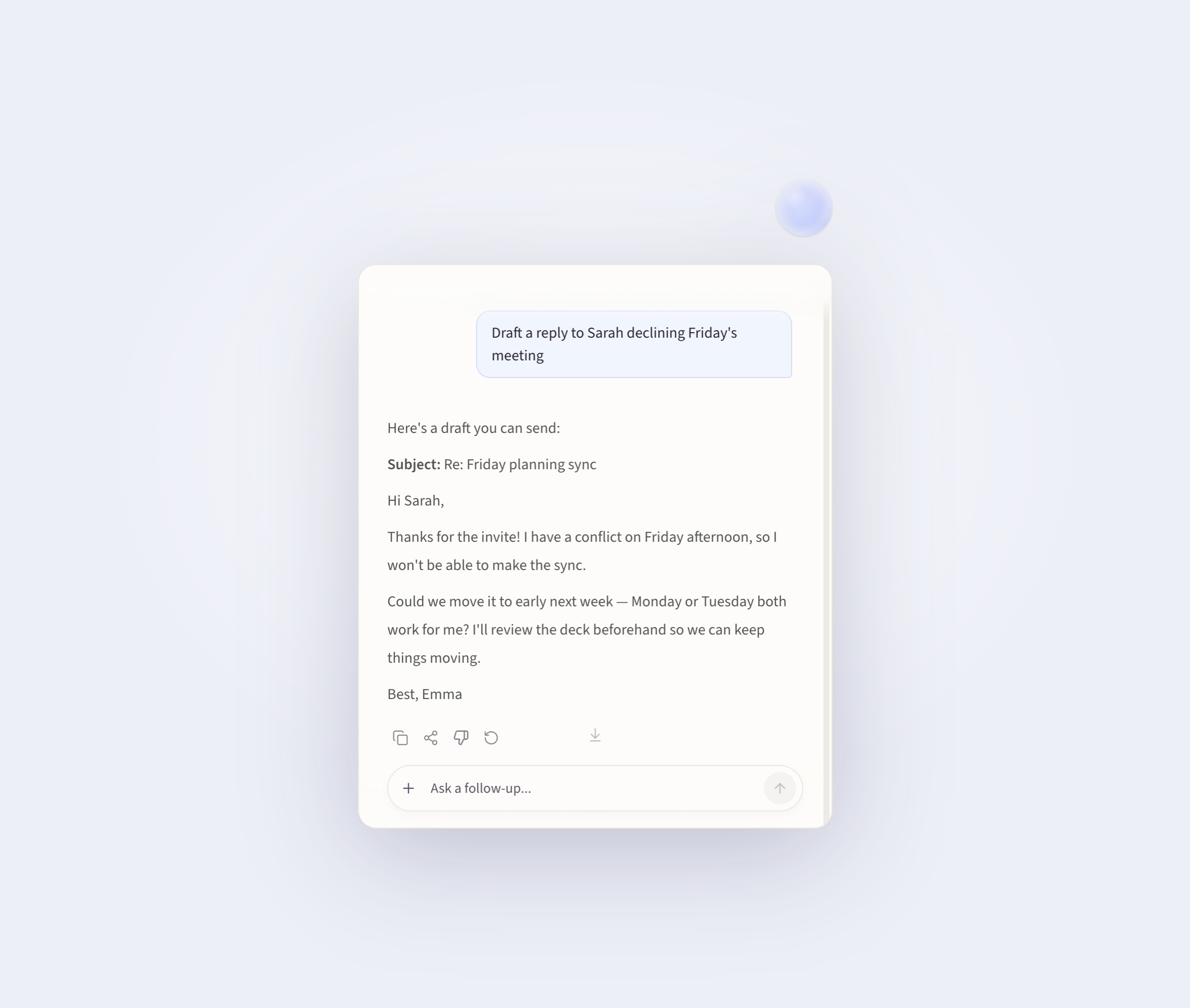
How the reply workflow works
01
Open the thread
Stay in Gmail, Mail, Slack, Messages, or another app where you already type.
02
Say the outcome
Hold the shortcut and say the point, the tone, and anything that must stay in the reply.
03
Review before it leaves
Check the draft in place. If Viora would send, forward, or trash Gmail, it asks first.
Things you can say
These examples show a spoken request and the kind of draft you should review.
"Draft a reply that declines Friday, offers Monday or Tuesday, and stays polite."
Viora writes a reply in the open compose field or Capsule. You keep the send button.
"Catch me up on this Slack thread, then draft a short update that does not reopen pricing."
You get a short read of the ask and a draft you can paste or edit in Slack.
"Reply with the deadline, the owner, and one clear next step."
The draft keeps the facts you said out loud, instead of a generic chatbot answer.
What this page does not claim
Viora does not send every message by itself. Dictation inserts text where you are typing. Gmail send, reply, forward, and trash actions ask for confirmation. Viora is macOS-only and cloud-assisted.
Questions
Before you try it
Keep the current thread open. The draft should match what is on screen.
Can Viora send the email for me?
For Gmail connector actions, Viora asks before it sends, replies, forwards, or moves mail to trash. In other apps, it usually drafts text in the field you already have focused.
Which apps can I reply in?
You can dictate into any Mac text field, including Gmail, Mail, Slack, and Messages. Account connectors today include Gmail, Slack, Notion, and Google Calendar.
Is this the same as Mac voice to text?
It uses voice to text, then keeps going. The job is a reply that fits the open thread, not only raw speech-to-text.
Does this work offline?
No. Viora is cloud-assisted, so this workflow is not fully offline or local-only.
Draft the next reply on your Mac.
Download Viora, open a real thread, and speak the outcome you want.